GitKraken is the Git client most people end up at when they decide they want one with a UI. It looks fine. It does the job. And honestly, it has gotten me this far, so it’s genuinely good. That said, it is also closed-source, distinctly slow, and impossible to extend.
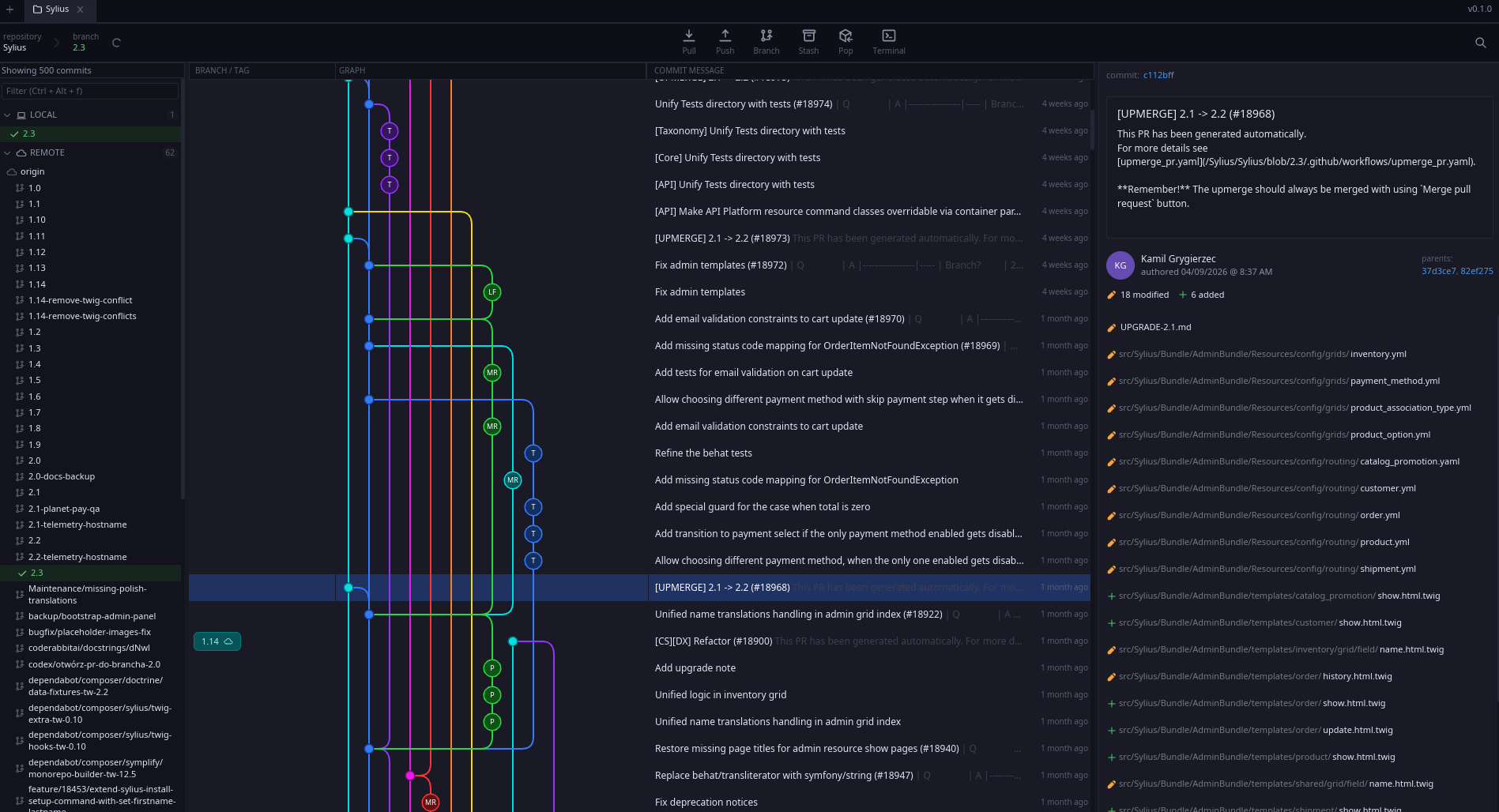
So I wrote my own. Git Leviathan is a native, open-source Git client built in Rust on top of Iced . It is firmly beta, but also already the Git GUI I use every day.
The three things GitKraken doesn’t have
This is basically the whole pitch.
- Speed. It’s a native Rust app. Not Electron. Not a Chromium tab pretending to be a desktop app. Cold-start, scrolling history, switching repos — everything is just fast, in the way that a tool you use a hundred times a day really needs to be.
- A plugin system. Git Leviathan ships with a Lua plugin runtime. Plugins can register commands, claim UI slots, add dock panels, decorate the graph, expose long-running services, and more. If you want the client to do something it doesn’t, you can teach it.
- Open source. MIT-licensed. The code is right there. You can read it, fork it, send a PR, or rip out the bits you like and use them in something else. None of that is true of GitKraken.
Everything else — graph-first history, multi-tab workspaces, syntax-highlighted diffs, live filesystem watching, cross-platform builds for Linux, macOS and Windows — is just stuff a modern Git client is supposed to do. It’s the three above that drove me to build it.
The honest disclaimer
I want to be straightforward about how this got made. A large chunk of the app was vibe-coded with AI. My Rust was rusty when I started. It is, I am happy to report, getting less rusty by the week.
That isn’t an apology: without AI assistance I wouldn’t have the time to take on a project of this size, anyway. The app works. It’s stable enough that I trust it with my own day-to-day work. It’s also the most enjoyable way I’ve found to actually learn Rust properly: have a real, opinionated app with a nontrivial architecture (workspace crates, async tasks, GPU-accelerated GUI, an embedded scripting runtime), and then keep stripping away the parts you don’t yet understand and rewriting them by hand until you do.
If “AI-assisted Rust” sets off alarm bells for you: fair. Read the source. It’s well over 100k lines at this point, but the Cargo workspace is cleanly carved up, the boundaries between the crates are clear, the plugin contract is documented, and there are no horrors hiding in the corner.
Some numbers and what’s not great yet
I’ve tested it on production repositories, both proprietary and open source. A cold-start on my machine takes about 300ms from empty desktop to full UI. Memory usage can be anywhere between 100MB and 400MB, depending on how much of the graph and diffs are cached. On idle, it doesn’t use your CPU at all, except for fetching from your git remotes every 30 seconds.
Where performance isn’t great yet, is if you scroll down 15,000 commits in your graph. This can and will be optimized later.
I’m currently working on exposing all UI commands to the Lua plugin runtime, so plugins can do anything the native app can do and more. I’m already 90% of the way there for my own bespoke vim-like plugin.
Where it is
- Repo: github.com/shinyvision/git-leviathan
- Releases: prebuilt binaries for Debian/Ubuntu, Fedora/RHEL, generic Linux, macOS (Apple Silicon), and Windows
- Status: beta. Linux is well-tested because that’s what I use; macOS and Windows users would make my week by trying it and reporting whatever breaks.
If you’ve ever launched GitKraken, watched the spinner, and quietly considered going back to the command line: Git Leviathan is for you. It’s fast, yours to extend, and entirely readable.